

Every time a sensor sends data to the cloud, a data point, or "dot," is created. Ubidots stores dots from your devices inside variables, and these dots have corresponding timestamps:
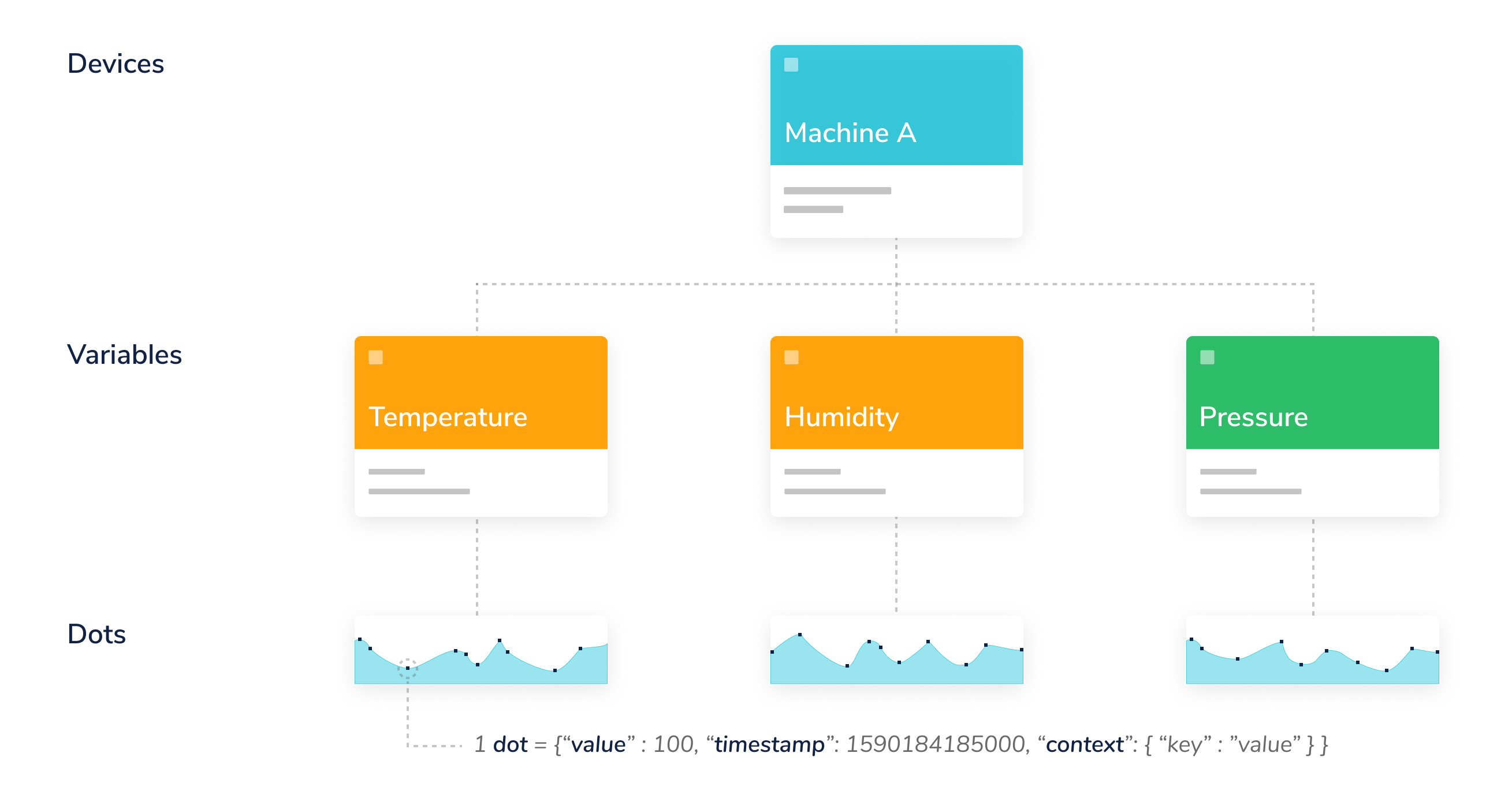
Ubidots Data Hierarchy
Sending sensor readings to a device, such as "Machine A," is as easy as:
curl -X POST \
     -H "Content-Type: application/json" \
     -H "X-Auth-Token: YOUR_UBIDOTS_TOKEN" \
     -d '{
           "temperature":23.5,
           "humidity": 60,
           "pressure": 1013.2
         }' \
     "https://industrial.api.ubidots.com/api/v1.6/devices/machine-a"
Here, we sent three dots. A dot is made of up to three fields:
| Item | Description | Mandatory |
|---|---|---|
| value | A numerical value. Ubidots accepts floating-point numbers with up to 16 digits. | Yes |
| timestamp | Unix Epoch time, in milliseconds. If not specified, our servers assign one when they receive the dot. | No |
| context | An arbitrary collection of key-value pairs, mostly used to store the latitude and longitude coordinates of GPS devices. | No |
Value
A numerical value. Ubidots accepts floating-point numbers with up to 16 digits.
{"value" : 34.87654974}
Timestamp
A timestamp, as described here, tracks time as a running total of seconds. This count starts at the Unix Epoch on January 1, 1970, at UTC. Therefore, the Unix timestamp is the number of seconds between a specific date and the Unix Epoch. When you send data to Ubidots, set the timestamp in milliseconds. When you retrieve a dot's timestamp, it is also returned in milliseconds.
"timestamp" : 1537453824000
The timestamp above corresponds to Thursday, September 20, 2018, at 2:30:24 PM.
PRO-TIP: Use Epoch Converter to convert between Unix timestamps and human-readable dates.
Context
Numerical values are not the only supported data type; you can also store string or character data types inside context. Context is a key-value object that allows you to store both numerical and string values. For example:
"context" : {"status" : "on", "weather" : "sunny"}
Context is commonly used to store the latitude and longitude coordinates of your device for GPS and tracking applications. Ubidots maps use the lat and lng keys from a dot's context to extract the coordinates of your device. This means you only need to send a single dot with coordinates in the variable context to plot a map, instead of sending latitude and longitude separately in two different variables. Below is a typical context with coordinate values:
"context" : {"lat":-6.2, "lng":75.4, "weather" : "sunny"}
You can mix string and numerical values in the context. If your application is for geolocation, make sure the coordinates are set in decimal degrees.
Following our example, we can be more specific about the data we send by adding the timestamp and context to a variable:
curl -X POST \
     -H "Content-Type: application/json" \
     -H "X-Auth-Token: YOUR_UBIDOTS_TOKEN" \
     -d '{
           "temperature":{
               "value": 23.5,
               "timestamp":1703001262000,
               "context" : {
                   "weather" : "sunny"
               }
           }
           "humidity": 60,
           "pressure": 1013.2
         }' \
     "https://industrial.api.ubidots.com/api/v1.6/devices/machine-a"